I Sent a Photo Between Two Phones Using Sound (and Two Saner Methods)
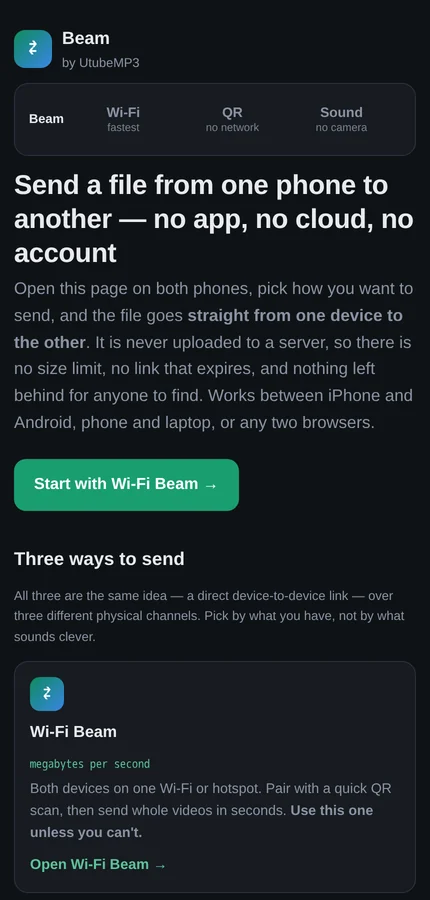
I wanted to send one photo from my phone to my wife's phone. Same room, arm's length apart. The options were: upload it to a company in another country so it could travel back to a device I could physically touch, or discover that AirDrop refuses to acknowledge Android exists. So I did the reasonable thing and spent a weekend building Beam, a web page that moves files between two devices with no upload, no account and no app.
It turned out to be three completely different problems wearing a trench coat, because "get bytes from here to there" depends entirely on what you're allowed to use as "there and back". Beam ended up with three modes, and the interesting part of each one is what it does when things go wrong.
The rule that makes it hard
There is no server. That's not a privacy slogan I bolted on afterwards, it's the whole design constraint, and it takes away the thing every normal file-sharing service leans on: a reliable middleman that holds your bytes and hands them over whenever the other person gets around to it. Without one, whatever channel I use has to carry the entire file live, between two devices that have never met, with no way to say "sorry, could you repeat that" unless I build one.
And how fast that can possibly go isn't up to me. It's physics:
Radio (Wi-Fi) gets megabytes per second, because it has tens of megahertz of bandwidth and dedicated hardware at both ends. A screen filmed by a camera gets maybe 10–50 KB/s, because you're limited by frame rate and how much detail survives a lens held by a human hand. A speaker heard by a microphone gets about 1 KB/s, because there are only a few usable kilohertz of audio band and a room full of echoes to ruin them. So Wi-Fi wins whenever it exists, and the other two are for when there is no network to join at all.
Mode one: Wi-Fi, and the handshake that fits in a QR code
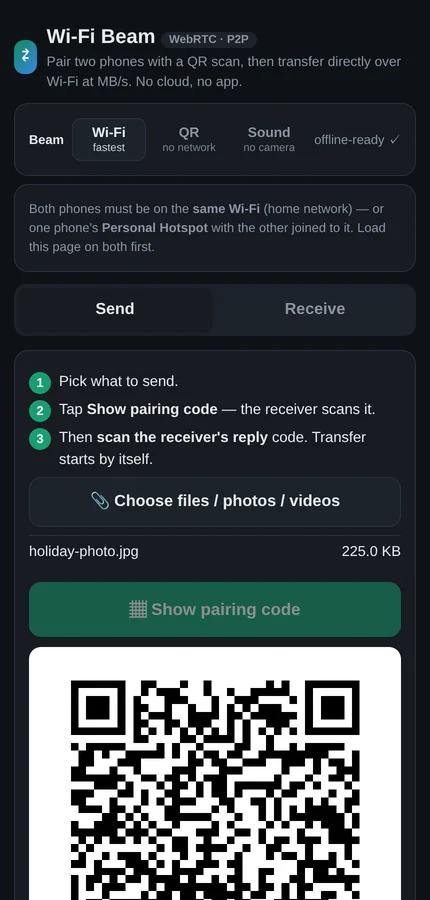
Two browsers can open a direct encrypted pipe to each other — that's WebRTC, the same technology behind video calls. The catch is that before they can talk, they have to swap a "here's how to reach me" note, and normally a server passes that note between them. I don't have a server. So the phones pass the note optically: one shows a QR code, the other reads it with its camera.
Except the note is about a kilobyte of boilerplate, and a kilobyte of QR code is a dense grey smudge that no phone will read across a table. Almost all of it, though, is text both sides already know by heart. Strip it to the parts that are genuinely unique — a username, a password, a security fingerprint, a handful of addresses — and it packs down to well under a hundred bytes (72 of them, in the screenshot below). That's a chunky, friendly QR code you can scan on the first try while holding a coffee. The receiver unpacks it and rebuilds a full, valid note from the pieces.
Then the file just goes, at proper speed, encrypted, straight across the room. This is the mode you should actually use, and it does whole videos in seconds.
Mode two: QR codes as a video stream, and why dropped frames are free
With no network at all, the screen becomes the wire: the sender plays a rapid slideshow of QR codes and the receiver films it. The naive version of this is miserable. If frame 47 is "the 47th piece of the file" then every glare, blur and missed frame is a hole you have to go back for — and there's no back channel to ask on.
So Beam doesn't send pieces. It uses a fountain code, which is one of those ideas that sounds illegal the first time you hear it. Every frame is a random mixture of pieces, and the receiver can reconstruct the whole file once it has collected enough frames. Not the right frames. Not in order. Just enough of them. Missing one costs you nothing but another second of filming, because the sender is generating fresh mixtures forever and any of them will do.
It's the difference between mailing someone a numbered jigsaw and pouring water into a bucket. You don't care which water.
Mode three: the file, as a noise
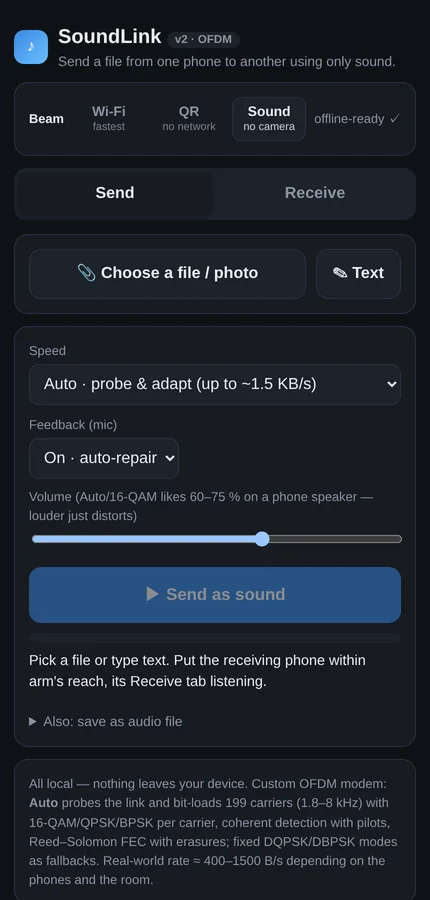
Then there's the mode I built first, entirely because I wanted to know if it would work: no network, no camera, just a speaker singing at a microphone.
The obvious off-the-shelf library manages about 14 bytes per second, which means a 30 KB photo takes forty minutes and you have to stand very still for all of them. That's not a feature, that's a hostage situation. So Beam has its own modem, and it's the part of this project I'm most unreasonably fond of.
Instead of one tone going as fast as it can, it uses 199 tones at once, spread between 1.8 and 8 kHz, each carrying its own slow trickle of data. Rooms damage sound unevenly — a dead spot here, an echo there — and splitting the job across 199 tones means a bad patch of the spectrum costs you a few of them instead of the whole transmission.
Better than that: before it starts, it sends a test noise and listens to what the room did to it. Then it hands every tone its own speed based on how well that particular tone survived — fast where the channel is clean, slow where it's marginal, and silent on the ones this room has murdered. Your phone, my phone, the distance between them and the noise of the dishwasher are different every time, so it measures rather than assumes.
And it assumes it will get things wrong. Everything is wrapped in the same family of error correction that keeps scratched CDs playing, with the data deliberately smeared across many tones so that a door slamming damages a little of everything rather than destroying one thing completely. If the receiver still comes up short, it says so — out loud, as a noise back — listing exactly which bits it missed so the sender can repeat only those.
It also exports the whole transmission as an audio file, which means you can send a photo through a voice note. I have no defensible reason for this. I like it very much.
What actually broke
Phone-to-phone audio didn't work at first, and the reason was beautifully stupid: one phone recorded at 44,100 samples a second and the other at 48,000. Both were listening perfectly, to slightly the wrong thing — like two musicians tuned a hair apart, individually fine and jointly unlistenable. Pinning both to the same grid fixed it.
The second bug was that the receiver was throwing away real audio for being "too quiet", having been written by someone testing at desk volume. The third was that the QR library helpfully overrode the size of the code on screen, so on a high-resolution phone the sender was displaying one magnificent corner of a QR code and the receiver was, quite correctly, seeing nothing.
Where it lives
Beam is free and public at beam.utubemp3.net, alongside UtubeMP3. Nothing you send touches a server, so there's no size limit, no expiring link and nothing anyone can leak later. Open it on both devices, pick a mode, done. There's a technical writeup if you want the modem in more detail.
Ninety-nine percent of the time you should use the Wi-Fi mode, and it'll feel unremarkable, which is the goal. The other two are there for the one percent — the plane, the basement, the office whose Wi-Fi password nobody will admit to knowing — and for the small, specific joy of watching a photograph arrive as a sound.