Inside the Rack Simulator: Power Budgets, DHCP Faults and a Workbench That Opens Every Box
If the Silicon Pirates spotlight is the pitch, sp.silicon-pirates.com is where you find out whether your cable management skills translate to a browser tab. Short answer: no. Nobody's do. That's what the welcome paper is for.
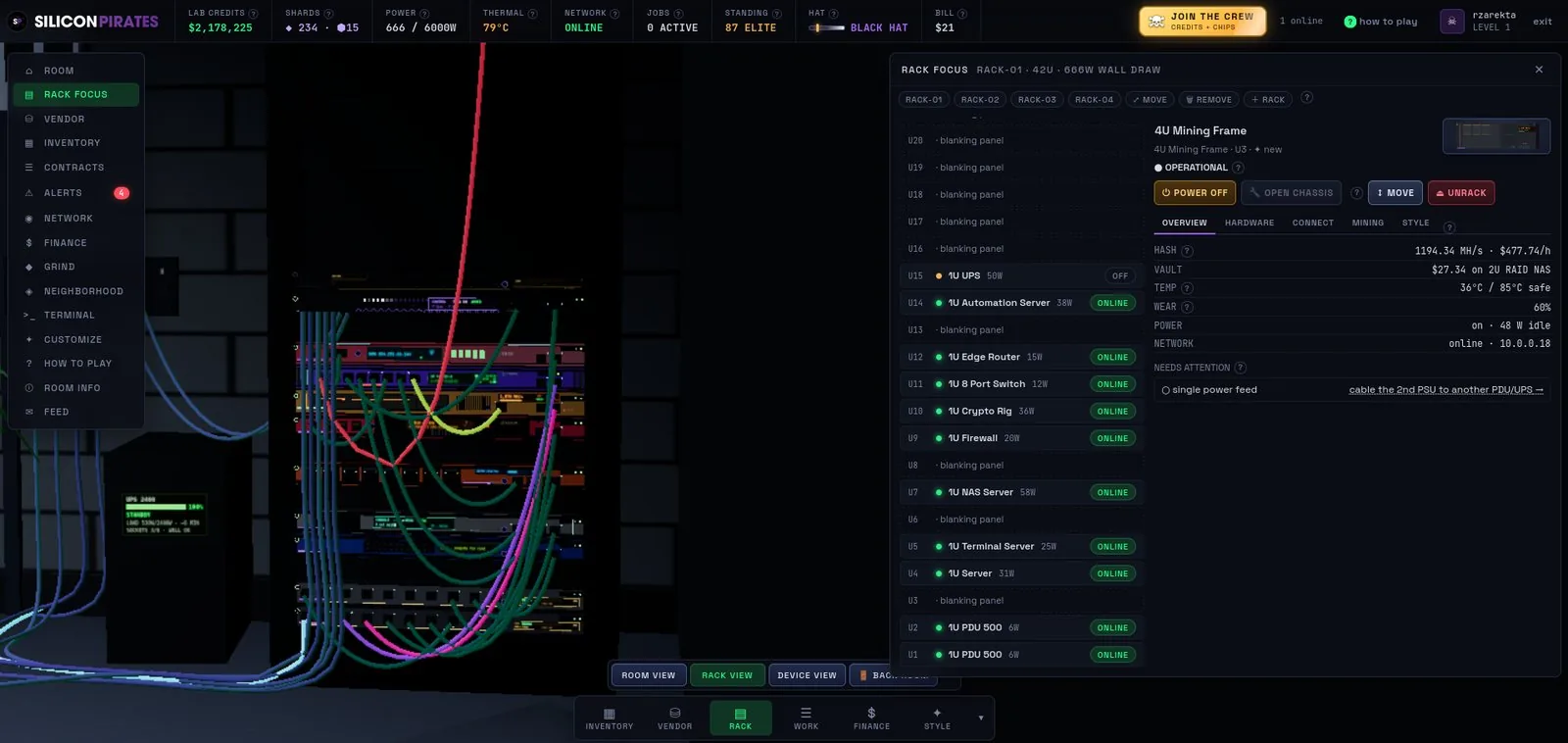
The first hour is disarmingly literal: open the four crates on the rug, rack a PDU, plug it into a wall circuit, rack a server, wire its power, switch it on, then run a network cable to a router that is plugged into the ISP box on the wall and watch it pick up a DHCP lease. Every one of those steps can fail the way it fails in real life: wrong port, no power, no lease, a breaker that trips because the starter PDU was never meant for that much load. The simulation isn't decorative.
The workbench is the clever bit now
In Beta 3 every device is a chassis full of parts: CPUs, RAM, drives, power supplies and fans, each wearing out on its own. Something fails, you walk the box to the workbench, open it and swap the part, or spend a Chip and have a tech do it. Heat is real, wear is real, and a fault names the exact action that fixes it. Chips buy convenience and looks, never an edge, and every one of them can be earned by playing.
"Chips buy looks and conveniences, and every one can be earned by playing." A sentence that should be tattooed on the forehead of several much bigger game studios.
There's more around the rack: a crypto market every player shares, a grow room with automation, contracts with downtime budgets, and visits to other players' labs. The full tour is in the Beta 3 launch post.