How to Convert MP3 to Ringtone (Android & iPhone)
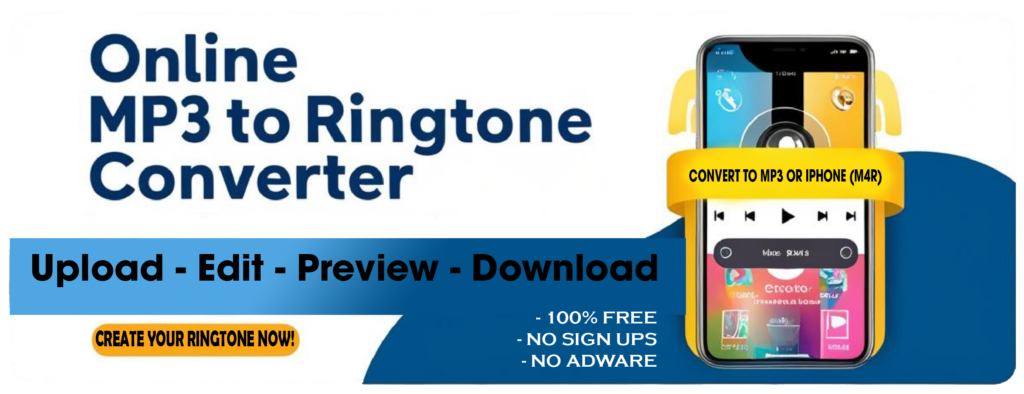
Short version: trim the song to about 30 seconds, export it as MP3 for Android or M4R for iPhone, then set it in your phone's sound settings. You can do the whole trim-and-convert part free in your browser with our MP3 to Ringtone converter — no app, no signup, no watermark.
The converting is the easy half. The half that actually trips people up is getting the finished file onto the phone and making it show up in the ringtone list, and that part is completely different on Android and iPhone. Both are covered below, with the current steps — not the iTunes-era ones that most guides (including, until today, this one) still repeat.
Step 1: Drop in your audio
Open the ringtone maker and drop your file on the box — or click it to browse. It takes MP3, WAV, M4A, AAC, OGG and FLAC, so you do not need to convert anything first. The waveform appears, which is what lets you pick the exact moment by eye instead of guessing at timestamps.
✅ Song stuck inside a video? Pull the audio out first with UtubeMP3, then come back with the file.
Step 2: Pick your section
Drag the region on the waveform to set the start and end, or tap one of the length presets — 15s, 30s, 40s or Full. Hit play to hear the cut before you commit to it.
How long is allowed? Apple caps ringtones at 40 seconds, and text and alert tones at 30. Reports differ on where exactly GarageBand draws the line, and it will quietly shorten anything too long rather than tell you — so if you want zero surprises, stay at or under 30 seconds and it will work as a ringtone or an alert tone. The converter will not export an M4R longer than 40s at all. Android is more relaxed and accepts a three-minute file, but it still only plays until you answer, so there is no point.
✅ Pick the part that works cold. A ringtone starts from silence with no build-up, so the intro of a song is usually the worst 30 seconds of it. Start on the hook, the drop or the first strong beat. And check what it sounds like at phone-speaker volume, not headphone volume — sub-bass that carries a chorus on headphones disappears entirely on a phone.
Step 3: Polish it (optional, but do it)
Four controls, all of which matter more than they sound:
- Fade in / fade out. A ringtone that starts mid-waveform at full volume sounds like a mistake. Half a second of fade fixes it.
- Volume and bass. Phone speakers have no low end, so a track that thumps on headphones can vanish in your pocket. Nudge the bass up and check it on the phone.
- Loop count. A 15-second hook looped twice rings for longer without you having to find 30 seconds of song worth hearing.
- Ringtone name. Set it, or you will be picking between
Untitled_1.m4randUntitled_2.m4rforever.
Step 4: Download the right format
This is the single most common reason a ringtone "doesn't work":
- Android → ⬇ Download MP3. Android also accepts M4A, OGG and WAV, but MP3 is universally safe.
- iPhone → 📱 Download iPhone (M4R). Non-negotiable. iOS will not show anything else in the ringtone picker.
Renaming an .mp3 to .m4r by hand does not work — M4R is AAC in a
different container, which is why there is a separate export button rather than a rename.
Setting an MP3 as your ringtone on Android
Android makes this easy, and there are two routes. Both assume the MP3 is already downloaded to the phone.
The fast way (Files by Google, works on Pixel and most stock Android)
- Open Files by Google and find the MP3 you downloaded.
- Play it, then tap the ⋮ More menu → Set as ringtone.
- Android will ask for permission to modify system settings the first time. Allow it — that permission is what lets an app write the ringtone setting, and you can revoke it afterwards.
Google Pixel, through Settings
- Settings → Sound & vibration → Phone ringtone.
- Choose My Sounds, tap +, pick your file, and Save.
Samsung Galaxy
Samsung wants the file in the right folder before it will offer it:
- Open My Files, long-press your MP3 and choose Copy.
- Go to Internal storage → Ringtones and tap Copy here. (There is a matching Notifications folder if you are making a notification sound.)
- Settings → Sounds and vibration → Ringtone → Add, and pick the file.
Setting a ringtone on iPhone — without iTunes
Almost every guide still says "open iTunes and sync". On a Mac that has been wrong since 2019, when iTunes was split up and syncing moved into Finder; on Windows 11 the modern equivalent is the Apple Devices app. But the genuinely easier answer is that you do not need a computer at all.
Option A — GarageBand, entirely on the phone (no computer)
This is Apple's own supported route, and it is free:
- Download your M4R (or even the MP3) on the iPhone itself — it lands in Files, usually under Downloads.
- Install GarageBand from the App Store and start a new Audio Recorder project.
- Switch to the tracks view (the brick-wall icon), tap the loop icon at top right, open the Files tab and Browse items from the Files app to import your clip.
- Drag it onto the timeline and trim it to 30 seconds or less.
- Tap the down-arrow → My Songs, then long-press the project → Share → Ringtone, name it, and Export.
- Go to Settings → Sounds & Haptics → Ringtone. Yours is at the top.
Option B — with a computer
- Mac: plug the iPhone in, open Finder, select the phone in the sidebar, and drag the .m4r onto it. (On older macOS, this is where iTunes still applies.)
- Windows: use the Apple Devices app on Windows 11, or iTunes on Windows 10, and drag the .m4r onto the device.
- Then Settings → Sounds & Haptics → Ringtone and select it.
✅ If it doesn't show up: it is almost always length or format. Confirm the file is .m4r and under 30 seconds, then re-export. iOS does not warn you — the ringtone simply never appears.
Bonus: a different ringtone per contact
Far more useful than one custom ringtone is knowing who is calling without looking:
- iPhone: Contacts → the person → Edit → Ringtone.
- Android: Contacts → the person → ⋮ → Set ringtone.
Same file, set per person. Make a couple of short ones while you have the converter open.
Why use our converter?
🔹 Free, no signup — no account, no watermark, no trial.
🔹 Runs in the browser — nothing to install on either platform.
🔹 Both formats — real MP3 and real M4R export, not a renamed file.
🔹 Waveform trimming — pick the moment by eye and ear instead of typing timestamps.
Ready? Make your ringtone →
Questions people ask
How do I convert an MP3 to a ringtone?
Drop the file into the ringtone maker at ringtones.utubemp3.net, drag the region on the waveform (or tap the 15s / 30s / 40s preset), then hit Download MP3 for Android or Download iPhone (M4R) for iPhone. Set it in your phone's sound settings afterwards. It is free and runs in the browser.
What format does a ringtone have to be?
iPhone requires M4R, which is AAC audio in a ringtone container. Android accepts MP3, M4A, OGG and WAV, with MP3 the safest choice. The converter itself will take MP3, WAV, M4A, AAC, OGG or FLAC as input.
Can I just rename an MP3 to .m4r?
No. M4R is a genuinely different container, not a renamed MP3, so iOS will ignore the file. Export it as M4R properly instead.
How do I set an MP3 as my ringtone on Android?
Open Files by Google, play the file, tap the More menu and choose Set as ringtone, then allow the modify system settings permission. On a Pixel you can also go to Settings, Sound and vibration, Phone ringtone, My Sounds and add it. On Samsung, copy the file into the Ringtones folder in My Files first.
How do I put a ringtone on an iPhone without iTunes?
Use GarageBand on the iPhone itself. Import the clip from the Files app, trim it to 30 seconds, then long-press the project and choose Share, then Ringtone, then Export. It appears under Settings, Sounds and Haptics, Ringtone. No computer is involved.
Is iTunes still how you add iPhone ringtones?
Not on a Mac. iTunes was split up in 2019 and iPhone syncing moved into Finder; on Windows 11 the equivalent is the Apple Devices app. Most guides are simply out of date - and GarageBand on the phone avoids a computer entirely.
My ringtone doesn't show up in the list. Why?
On iPhone it is nearly always length or format: the file must be .m4r and short enough, and iOS gives no error when it isn't - the ringtone simply never appears. Re-export at 30 seconds or less and try again. On Android, check you granted the modify system settings permission, or copy the file into the device's Ringtones folder.
How long can a ringtone be?
Apple caps ringtones at 40 seconds and text or alert tones at 30, and GarageBand will quietly shorten anything longer instead of warning you. Staying at or under 30 seconds avoids every edge case. Android accepts much longer files but only plays until you answer, so there is no benefit.
Can I set a different ringtone for each contact?
Yes. On iPhone open the contact, tap Edit, then Ringtone. On Android open the contact, tap the three-dot menu, then Set ringtone.
Is the converter free?
Yes - free, no signup, no watermark, and it runs in your browser on both desktop and phone.